The Real Role of Pre-Event Planning Meetings in Flawless Events
- 10 minutes ago
- 13 min read
A pre-event planning meeting is the working session, held anywhere from a week to fifteen minutes before doors open, where the people running an event confirm who does what, lock down logistics, and sign off on the safety plan. It is not a status update. It is the last checkpoint before execution, and it has to produce three specific outcomes or it wasn’t worth calling.
Those outcomes are: every attendee walks away knowing their exact job, every logistical detail (timing, AV, catering, floor plan) is confirmed rather than assumed, and the safety and contingency plan has been reviewed out loud by the people who would have to act on it. Skip any one of those, and you’re improvising in front of clients or guests.
The stakes are real. Event professionals who treat these meetings as proactive risk management, not a formality, catch problems before they become incidents, according to MPI’s event risk framework. A short briefing that clarifies menu details, timing, and safety instructions also sets the tone for how the whole staff performs that day, Catersource notes.
A pre-event planning meeting must deliver:
Aligned roles and responsibilities across every team and vendor present
Confirmed logistics: timing, AV, floor plan, catering, breaks
A reviewed, documented risk and safety plan with clear emergency contacts
Pro Tip: If your meeting doesn’t end with someone able to answer “who’s handling the emergency exits” in under three seconds, you didn’t finish the meeting.
Key Takeaways
A pre-event planning meeting works because it forces role clarity, logistical confirmation, and safety sign-off into one short session before execution begins, not during it.
Point | Details |
Three required outcomes | Every meeting must confirm roles, logistics, and a reviewed safety plan, or it hasn’t done its job. |
Keep the guest list tight | Invite only the leads whose roles change day-of decisions, and require prep before they walk in. |
The one-sheet is the agenda | Use a living, event-specific one-sheet or condensed BEO instead of building a separate discussion document. |
Match length to complexity | Run five to ten minutes for familiar teams, up to 20 for complex events with new staff. |
Close the loop immediately | Distribute the updated one-sheet, assign ownership of open items, and log feedback within minutes of the event ending. |
Table of Contents
Why the Role of Pre-Event Planning Meetings Extends Beyond a Quick Check-In
Venue Walkthroughs and the Last-Mile Details Worth Checking in Person
How Pixel Groves Builds Photography Into the Pre-Event Meeting
Work With Pixel Groves to Build Photography Into Your Timeline
What the Checklist-First Approach Gets Right, and Where It Falls Short
Frequently Asked Questions About Pre-Event Planning Meetings
Why the Role of Pre-Event Planning Meetings Extends Beyond a Quick Check-In
Treat the pre-event meeting as a formality and you’ll pay for it later, usually in the form of a scramble that a five-minute conversation could have prevented. The value shows up in four specific places: risk, staffing, budget, and how guests remember the day.
Risk mitigation is the most measurable benefit. Reviewing safety protocols and contingency plans before an event starts lets the team catch gaps while there’s still time to fix them, rather than during a live incident. MPI frames this as proactive mitigation rather than reactive cleanup, and the distinction matters: a fire exit blocked by a staging cart is a two-minute fix in a walkthrough and a real hazard once guests arrive.
Staffing gets sharper too. When roles are confirmed out loud, in front of the whole team, you eliminate the two most common failure modes: two people doing the same job and nobody doing the other one. That overlap costs money in idle labor hours and costs experience in the gaps nobody covers.
Budget protection follows naturally. A confirmed plan, agreed to by every vendor in the room, closes the door on the excuse “I thought someone else was handling that” showing up as a change order later. Leadership notices which planners run meetings that prevent surprises, and that confidence tends to translate into bigger budgets and more autonomy on future events.
None of this is abstract for guests. Structured planning with clear timelines tends to produce events that start on time and run smoothly, and guests absolutely notice the difference between a wedding that flows and one where the timeline visibly falls apart. Reputation in this business travels fast, especially among vendors who talk to each other after every job.
What consistent pre-event meetings protect:
Physical safety and legal exposure through documented risk review
Labor costs through confirmed, non-overlapping role assignments
Client and leadership trust through predictable execution
Guest experience through on-time, well-coordinated logistics
Who Needs to Be in the Room, and What They Should Bring
The guest list for a pre-event meeting is smaller than most planners think, and that’s intentional. A packed room with no clear purpose for half the attendees is how these meetings turn into 45-minute time sinks nobody wants to attend.
Core attendees, every time:
Lead planner or event coordinator (runs the meeting)
Venue coordinator or conference services manager
Food and beverage / catering lead
AV or production lead
Security or safety officer
Client representative (for corporate or private events)
Photographer or videographer lead
Any vendor with a time-sensitive delivery (florist, rentals, entertainment)
Bring in as optional, only when relevant: sponsors who need visibility on their activation window, speakers or performers with specific staging needs, and volunteer team leads for larger nonprofit or community events. Adding them by default just for information’s sake defeats the purpose.
What earns someone a seat is what they bring with them. Every attendee should show up with the event one-sheet already reviewed, a current contact list for their team, any permits or licenses relevant to their role, notes on their specific timing windows, and written confirmation from their vendors that deliverables are on track. A meeting where half the room is discovering information for the first time isn’t a pre-event meeting. It’s a status update disguised as one, and status updates belong in email.
The Agenda and Checklist That Actually Runs a Meeting
Most pre-event meetings fail for one reason: nobody wrote an agenda, so the conversation wanders wherever the loudest person in the room wants it to go. A working agenda takes 10 to 20 minutes depending on event complexity, according to Catersource’s facilitation guidance, and every minute of it should map to a specific outcome.
A timed sample agenda for a mid-complexity event:
Opener (1 minute). State the event name, date, and headline numbers (guest count, start time). Set expectations that this will be quick.
One-sheet review (5 minutes). Walk the room through the event one-sheet or condensed banquet event order (BEO) line by line, but only the items that changed or matter most.
Timing points (3 minutes). Confirm arrival, load-in, key ceremony or program moments, and breakdown.
Safety and contingency (3 minutes). Emergency exits, first-aid location, weather contingency if outdoors, and who has final authority to make a call.
Vendor confirmations (3 minutes). Quick verbal confirmation from each vendor lead that they’re staffed and ready.
Open questions (3 minutes). Cap this hard. Redirect anything detailed to a side conversation after the meeting ends.
Close (1 minute). Restate start time and the single point of contact for day-of issues.
That whole sequence should not exceed 20 minutes even for a complex event with unfamiliar staff, and closer to 10 for a team that has worked together before.
The one-sheet itself is the document that makes this agenda possible, and it should function as a living template you adapt for every event rather than rebuild from scratch. Catersource recommends treating it as a customizable master checklist, distributing only the fields relevant to the staff in the room so the meeting stays focused instead of drowning people in irrelevant detail.
Fields a functioning one-sheet or condensed BEO should include:
Event name, date, and confirmed guest count
Floor plan with room or stage setup
Arrival and load-in timeline for every vendor
AV cues and equipment list
Catering schedule, including course timing and any dietary notes
VIP list and any special handling instructions
Accessibility accommodations
Social media handle or event hashtag
Wi-Fi network name and password
Walkie-talkie channel assignments and staff break schedule
First-aid location and lost-and-found protocol
That last set of items (“walkie assignments, staff breaks, lost-and-found, first-aid”) is drawn directly from professional caterer templates, and it’s the layer most first-time planners forget because it doesn’t feel urgent until someone needs it, per the International Caterers Association’s pre-event guide.
If your meeting is capped at ten minutes, prioritize ruthlessly: confirmed timing, room and stage setup, and final headcount numbers matter more than reading every line of the event order aloud. A script that works for the person leading the review: “Here’s what’s confirmed since we last talked. Here’s what changed. Here’s who owns the two open items. Questions specific to your role only, please, and let’s talk after for anything else.”
Pro Tip: Distribute the one-sheet at least a day before the meeting. A meeting where people are reading the document for the first time in the room is twice as long and half as useful.
Venue Walkthroughs and the Last-Mile Details Worth Checking in Person
A walkthrough is where the one-sheet meets physical reality, and the two rarely match perfectly on the first pass. The best timing is a pre-con meeting the day before arrival, which is common practice among venue coordinators, supplemented by a same-day quick check the morning of the event to catch anything that shifted overnight.

Walk the space specifically looking for load-in paths and whether they conflict with guest arrival, staging areas for catering and rentals, power access for AV and lighting, sightlines from key seating sections, and every emergency exit’s actual accessibility, not just its location on a floor plan. Add signage placement, parking capacity, and transport pickup and drop-off zones if the event involves shuttles or valet.
Coordinate what you find directly with the venue’s conference services manager and the vendor leads responsible for each area. This is also the meeting where you build the working relationship that makes day-of problem-solving faster, since a coordinator who trusts you will move faster on last-minute requests than one meeting you for the first time under pressure. A detailed venue walkthrough checklist covers exactly this kind of physical verification, room by room.
Round out the walkthrough with catering-specific checks (kitchen access, holding temperatures, service timing against the program), housekeeping schedules for restrooms and common areas, and accessibility verification for ramps, elevators, and accessible seating or restroom locations.
Setting Up Communication So Nobody Guesses Under Pressure
The event day is the wrong time to discover your communication plan has a single point of failure. Build in redundancy from the start: a primary walkie channel for operational chatter, a named phone tree for anything that needs a real conversation, and a group messaging app as backup if radios fail or run out of range.
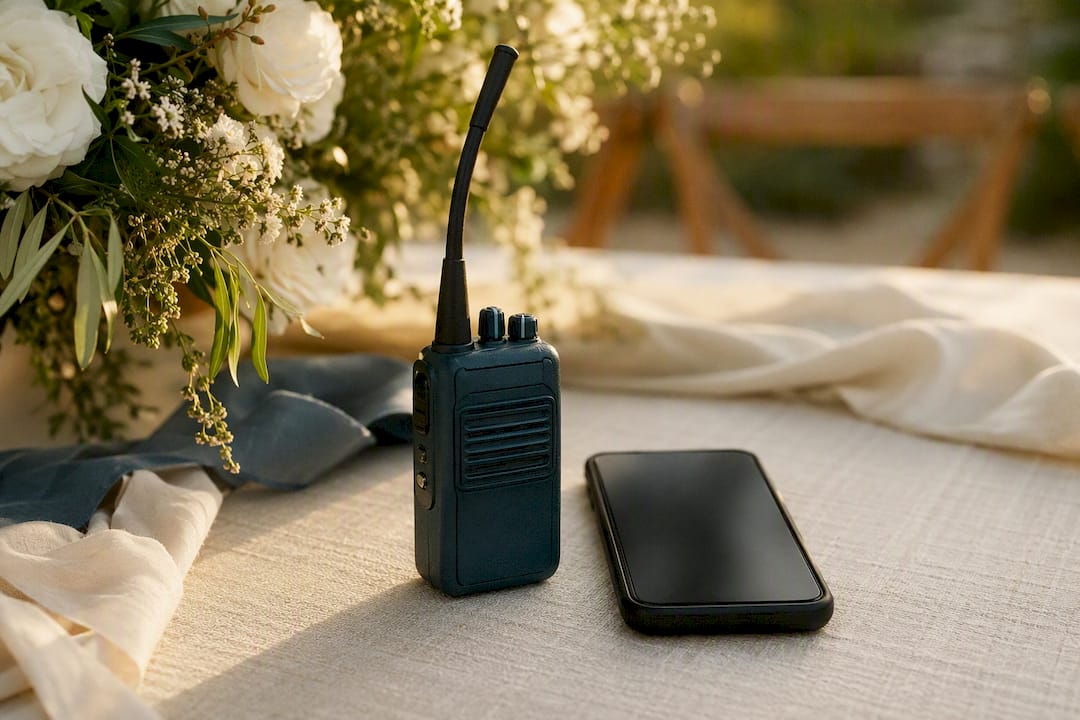
Assign escalation points before the event starts, not during a crisis. Define, out loud, what kind of issue goes to the floor lead versus what gets escalated straight to the client representative or venue manager. A spilled drink is a floor-lead problem. A medical issue or a security concern skips every layer and goes straight to the top of the chain.
Build these into the communication plan:
Primary channel (walkie) and backup channel (messaging app or phone tree)
Named escalation contact for each category of issue: safety, client relations, vendor disputes
Scheduled check-ins before every major time point (ceremony start, meal service, program transitions)
Emergency numbers, vendor contacts, and key timestamps printed on the one-sheet itself
Pro Tip: Do a “stand and repeat” 15 minutes before every major transition. One person calls out the next time point on the radio, and the responsible lead confirms out loud. It takes ten seconds and catches most timing drift before it becomes visible to guests.
How to Run a Meeting People Actually Want to Attend
Length should scale with complexity and how familiar the staff is with each other. A team that has worked together on similar events can wrap a pre-event meeting in five to ten minutes. A complex event with new staff, multiple vendors, or unusual logistics can justify up to 20 minutes, but rarely more.
Start on time, without exception. Waiting for stragglers trains people to show up late.
Run it standing up. A stand-up meeting moves faster than one where people settle into chairs.
Form a circle rather than rows. It signals a working session, not a lecture, and it’s easier to hear everyone.
Use the one-sheet as the literal agenda. Don’t create a second document to talk through; walk the one people already have.
Put the person who executes closest to the action in charge of leading it. That’s usually the floor manager or lead planner, not the most senior executive in the room.
Avoid these, every time: long-form training (save it for onboarding, not the pre-event brief), public correction or discipline of any staff member, and open-ended discussion that drifts off the agenda. Redirect tangents to a side conversation after the meeting closes.
For hybrid or remote team members, run a short video call in parallel or record a two-minute summary they can watch before arrival. Don’t try to force full participation from someone dialing in for a physically staged event. Their job is usually pre-confirmation, not live discussion.
Pro Tip: If your meeting regularly runs long, it’s an agenda problem, not a discipline problem. Cut a section rather than rushing through all of them.
Closing the Loop: What Happens After the Meeting Ends
The meeting isn’t finished when people walk away. Distribute the updated one-sheet immediately, with any changes made during the discussion reflected in writing, so nobody is working from a stale version.
Confirm ownership of every open item before people disperse. If something was flagged as unresolved, someone’s name needs to be attached to it along with a deadline, even if that deadline is “before doors open.” Log any vendor updates that came out of the meeting so the next person who checks the file has current information, not guesswork.
Track a few simple signals to know if the meeting worked:
Did the event start on time?
How many issues surfaced and got resolved during the pre-event phase versus during the live event?
Did staff report feeling clear on their roles when asked directly?
Were there incidents that a better walkthrough or briefing would have caught?
Capture feedback fast, ideally in the ten minutes right after the event wraps, while details are fresh. Fold what you learn into the checklist for next time. This is a small, continuous improvement loop rather than a formal review process, and it works because the checklist gets sharper every time you use it instead of staying static for years.
How Pixel Groves Builds Photography Into the Pre-Event Meeting
A wedding photographer who shows up without pre-event coordination is guessing at timing all day, and guessing produces missed shots. Pixel Groves builds its process around getting specific answers before the event, not during it.
That starts with the one-sheet fields that matter most for photography: prep room locations for both partners, the hair and makeup schedule, a current vendor contact list, the ceremony cue list, cocktail hour start time, and sunset time for outdoor portraits. Sunset alone can shift a shot list by 20 minutes depending on the season, and finding that out mid-ceremony is too late.
Pixel Groves also asks for explicit confirmation of prep room arrival windows and any restricted access periods, so lighting and equipment placement gets planned in advance rather than improvised around other vendors already working the space, a detail covered in Pixel Groves’ own venue walkthrough checklist. Key shot windows, the first look, ceremony exit, toasts, get locked into the timeline the same way catering service times do.
A photographer who knows the exact minute the ceremony exit happens can position for the shot instead of chasing it. That single piece of timing confirmation, done in the pre-event meeting rather than guessed on the day, is often the difference between a photo that captures the moment and one that captures the aftermath.
Couples planning their timeline benefit from reviewing a groom prep timeline or a wedding photography questionnaire before the meeting happens, since walking in with those answers already settled turns a potentially long conversation into a five-minute confirmation.
Work With Pixel Groves to Build Photography Into Your Timeline
If you’re planning a Florida wedding, the pre-event meeting is exactly when your photography and videography team should already be locked into the timeline, not scrambling to catch up once guests arrive. Pixel Groves builds its coverage around the same one-sheet and timing confirmations covered above: prep room access, key shot windows, sunset timing for portraits, and a shared vendor contact list so nothing gets lost between planner and photographer.
Explore Pixel Groves’ wedding photography styles to see how documentary, editorial, and light-and-airy approaches each demand slightly different timing coordination, then check current packages and pricing to see how a full-day photo and video package fits into your planning timeline. Getting your photography team into the pre-event conversation early is one of the simplest ways to protect the moments you’ll actually want to remember.
What the Checklist-First Approach Gets Right, and Where It Falls Short
Most advice on pre-event meetings treats them as a courtesy, a chance to say good morning before the real work starts. That framing undersells what’s actually happening. The meeting is where you find out whether your plan survives contact with reality, and doing that with a checklist instead of a conversation is what separates events that run smoothly from ones that limp through.
Where conventional advice falls short is timing discipline. Too many planners treat the meeting as flexible, something that can run long if people have questions. It shouldn’t. A meeting that runs 40 minutes because nobody capped the open-questions section isn’t thorough, it’s poorly facilitated, and it trains staff to dread a process that should feel efficient.
If you take one thing from this: build your one-sheet first, treat it as the single source of truth, and let the meeting be nothing more than a fast, structured walk through it. Everything else, walkthroughs, communication plans, escalation paths, exists to support that one document doing its job correctly.
Frequently Asked Questions About Pre-Event Planning Meetings
What is the main role of pre-event planning meetings? The main role is to confirm three things before execution starts: who owns each responsibility, whether logistics like timing and AV are locked in, and whether the safety and contingency plan has been reviewed by the people who’d act on it.
How long should a pre-event meeting last? Five to ten minutes works for familiar staff on a straightforward event. Complex events with new team members or multiple vendors can justify up to 20 minutes, but longer than that usually signals a facilitation problem rather than genuine necessity.
What should be included in a pre-event checklist? A solid checklist covers the event one-sheet fields (floor plan, timing, AV cues, catering schedule), safety items (emergency exits, first-aid location, emergency contacts), and operational details like walkie assignments, staff breaks, and lost-and-found protocols.
Who should attend a pre-event planning meeting? Core attendees typically include the lead planner, venue coordinator, catering lead, AV lead, security, client representative, and any vendor with time-sensitive deliverables, such as photography or entertainment.
When should a venue walkthrough happen relative to the pre-event meeting? The most common practice is a pre-con walkthrough the day before guests arrive, followed by a quick same-day check the morning of the event to catch anything that changed overnight.
How do you measure whether a pre-event meeting was effective? Track whether the event started on time, how many issues got resolved before the event versus during it, and whether staff could clearly state their roles when asked. Feed what you learn back into the checklist for the next event.
Sources
Recommended
Comments