Decide Fast: YouTube Live or Zoom, Hybrid Stream in 15 Minutes
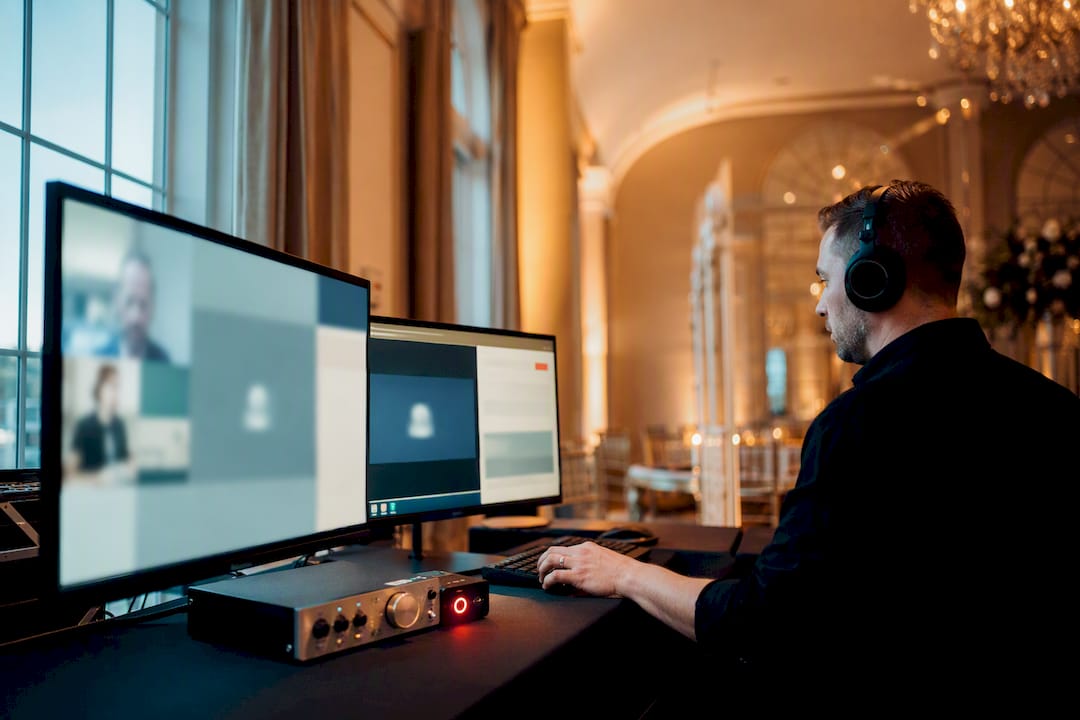
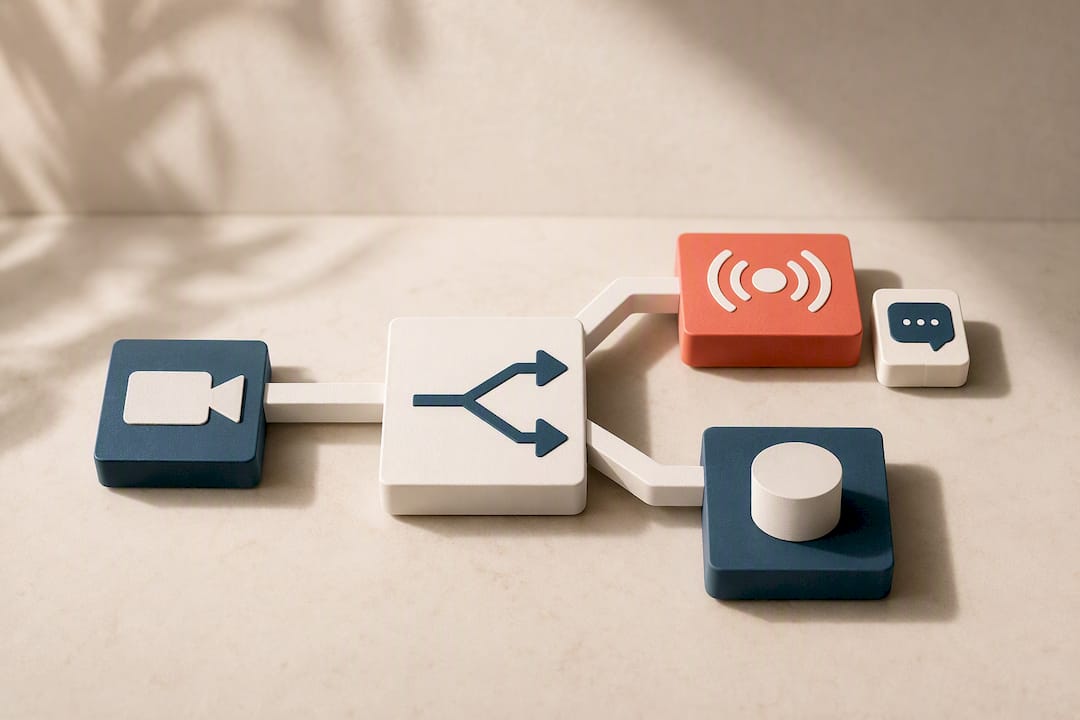
Choose Zoom when your event depends on two-way, low-latency interaction. Choose YouTube Live when the goal is public reach and easy replay. When you genuinely need both, a Zoom→YouTube hybrid workflow lets you maintain an intimate, interactive room while streaming a polished feed to an unlimited public audience. The tradeoff is interactivity versus scale, plus a real latency gap between the two platforms. The section below walks through the exact setup.
TL;DR:
Streaming a hybrid event requires managing two dashboards, chat streams, and a slight delay between Zoom and YouTube platforms, demanding additional staffing.
Native Zoom-to-YouTube streaming needs a paid Zoom account (Business, Enterprise, or Education) and proper setup of stream keys and encoder settings.
Zoom offers live interaction features like breakout rooms and polls, but YouTube handles unlimited public reach, discoverability, and long-term replay benefits.
Accurate technical preparation, including rehearsals, good audio, and stable internet, is crucial to prevent common issues like dropped streams and latency problems.
Hybrid setups suit town halls and product launches best, but hiring a professional team for complex events like weddings ensures smooth, high-quality broadcasts.
Table of Contents
YouTube Live vs Zoom: Matching the Platform to Your Event Goal
Most platform confusion disappears once you name the actual goal of the event. A board meeting and a product launch are not the same job, even if both involve a camera and an audience.
Small team meeting or workshop with discussion: Zoom. You need breakout rooms, raised hands, and screen sharing that doesn’t feel like broadcasting to strangers.
Public product launch or company announcement: YouTube Live. Anyone with a link can watch, no account required, and the recording stays discoverable afterward.
Town hall with both staff and outside stakeholders: Hybrid. Staff join Zoom to ask questions live; the public watches a mastered feed on YouTube.
Paid webinar with registration and lead capture: Zoom Webinars. The registration and attendee tracking tools are built for exactly this.
Wedding livestream for guests who can’t travel: YouTube Live for the ceremony broadcast, since guests just click a link, with Zoom reserved only if you want out-of-town family to speak live during the toast.
Internal training with certification tracking: Zoom. Attendance logs and participant reports matter more than reach.
Hybrid setups add one operational cost: someone has to manage two dashboards, two chat streams, and a short delay between what the Zoom room sees and what YouTube viewers see. Budget for that extra role before you commit to running both.
How Do You Stream a Zoom Meeting to YouTube Live?
The Zoom→YouTube handoff takes about 15 minutes once you know the order of operations. Do the setup once, then reuse it for every event.
Check your account tier first. Native livestreaming to YouTube requires a Zoom Business, Enterprise, or Education account (not a free Basic plan), according to Zoom’s own support documentation. Confirm your upload speed can handle sustained streaming, ideally a bitrate suitable for your setup (higher for multi-camera setups).
Enable livestreaming in Zoom’s admin settings. Go to account settings, find “Allow livestreaming of meetings,” and toggle it on for the account or for specific users. Webinars have a nearly identical toggle but live under the Webinar settings tab instead of Meeting settings.
Create the live event on YouTube first. In YouTube Studio, schedule a new live stream and choose “Unlisted” if only invited viewers should find it, or “Public” for open reach. YouTube gives you a stream key and server URL you’ll need in the next step.
Connect the two platforms. Inside your Zoom meeting or webinar, click “More,” then “Live on YouTube,” and paste in the stream key from YouTube. This uses YouTube’s recommended encoder settings and RTMPS protocol automatically.
Start the meeting, then start the stream, then watch both dashboards. Zoom shows participant status; YouTube Studio shows live viewer count and chat. Don’t walk away from either screen for the first five minutes.
Pro Tip: Run a full rehearsal at least once, with someone watching the YouTube delay on a separate device. If your presenter answers verbal questions in real time without checking that lag, YouTube viewers will feel like they’re always a beat behind.
Assign a dedicated moderator to YouTube chat before you go live, not after. And always hit record locally on the host’s machine, since a dropped stream doesn’t have to mean a lost recording.
Interaction, Scale, Cost: What Actually Separates Zoom From YouTube Live
The two platforms aren’t competing for the same job. Zoom is built for rooms; YouTube Live is built for crowds.
Interaction model: Zoom gives you breakout rooms, live voice Q&A, polls, and reactions that feel two-way. YouTube Live offers chat only, and it’s a one-to-many broadcast by design, not a conversation.
Scale and discoverability: Zoom Meetings cap out well below what YouTube can handle, and comparison research from TIMEWELL Inc. positions YouTube Live as the stronger choice specifically for unlimited public reach, with Zoom framed as the more feature-rich option for interactive formats. YouTube also auto-archives every stream as a searchable, shareable video with zero extra editing.
Attendee management: Zoom Webinars and Zoom Events include registration pages, attendee reports, and email reminders. YouTube Live has none of that natively. You’ll need an external tool like Eventbrite or a simple form if you want registration data from YouTube viewers.
Monetization and post-event value: YouTube supports ad monetization and channel growth from a single stream; the replay keeps working for you long after the event ends. Zoom’s value ends closer to the live session, though its analytics on attendee engagement during the call go deeper.
Cost shape: Zoom’s paid tiers scale with participant count and webinar capacity, so pricing climbs as your audience grows. YouTube Live streaming itself is free through a standard YouTube channel, with costs showing up only in production hardware and staff time, not platform fees. User reviews on TrustRadius consistently rate Zoom Events higher for structured attendee control and YouTube Live higher for open reach and replay value.
Producing a Clean Stream and Managing Two Audiences at Once
A hybrid stream succeeds or fails on production details most organizers only learn the hard way, usually mid-event.
Frame for both screens. Keep slides legible at both a laptop size and a phone size, since YouTube viewers skew mobile more than Zoom participants do.
Mix audio before video. Bad audio kills a stream faster than a shaky camera; a dedicated mic setup matters more than most people expect for any live broadcast, weddings included.
Use RTMPS with H.264 encoding. YouTube’s guidance calls for a steady keyframe interval and a bitrate matched to your resolution rather than maxed out, which prevents buffering on the viewer end.
Split the roles. One person hosts inside Zoom, one moderates YouTube chat, and one acts as technical director watching both feeds. Running all three jobs solo is how streams silently drop without anyone noticing.
Turn on captions. Both platforms support live captions; enable them by default rather than waiting for a request.
Rehearse with a backup plan. Test a secondary internet connection or hotspot, and always record locally as insurance against a dropped connection. Investing in the right camera, audio, and encoder gear upfront avoids most of these failures before they happen.
Pro Tip: Give your YouTube moderator a short list of pre-approved talking points so they can answer repeat questions in chat without pulling the host’s attention away from the Zoom room.
Fixing Common Zoom-to-YouTube Streaming Problems
Most stream failures trace back to one of three causes: bandwidth, a bad stream key, or a mismatched encoder setting. Dropped frames usually mean your upload speed can’t sustain the bitrate you set. Check your connection before checking anything else.
A stream that won’t start almost always means an expired or mistyped stream key. Regenerate it in YouTube Studio and paste it fresh into Zoom rather than troubleshooting around it.
Dropped frames or buffering: Lower your bitrate or resolution before the event, not during it.
Stream won’t connect: Regenerate the YouTube stream key and re-enter it in Zoom’s livestream settings.
Delayed Q&A confusion: Collect verbal questions inside Zoom from participants in the room; queue pre-submitted or typed questions for YouTube viewers, since their delay runs several seconds behind real time.
Unwanted public access: Set YouTube events to “Unlisted” for semi-private events, and lock Zoom with a waiting room and passcode for anything sensitive.
Overexposed recordings: Limit who holds the stream key and admin permissions, and always keep a local recording as backup in case the live feed fails.
Why Practitioners Keep Reaching for the Hybrid Setup
Town halls, product launches, and any event mixing internal staff with outside audiences tend to land on hybrid, not because it’s trendy but because forcing one platform to do both jobs creates friction. Zoom keeps the room genuinely interactive; YouTube extends reach without diluting that experience for the people actually in the meeting.
The added complexity is real, and it’s exactly why teams delegate production once the event matters enough. Rehearsal and clear role assignments turn a stressful dual-broadcast into something that runs itself.
— Kellie
Live-Stream Production for Weddings and Milestone Events
An alternative to managing a hybrid stream yourself is to hire a team experienced in the workflow, rather than learning encoder settings and moderating two chat feeds solo. The Live Stream Videography Package covers production, audio and video mixing, moderation support, and archiving so guests who couldn’t attend in person still get a polished replay afterward.
[
Self-serve streaming works fine for a low-stakes internal meeting. It gets a lot harder when it’s a wedding ceremony, and there’s no second take if the stream drops during the vows. That’s when hiring a specialist earns its cost, particularly for a hybrid setup where broadcast polish and reliable audio matter as much as the guest experience inside the room. Visit the Pixelgroves pricing page to check package details and request a quote for your event date.
Sources
For the exact click-by-click steps and current interface screenshots, go straight to the source: Zoom’s livestreaming support article covers enablement, and YouTube’s live streaming help pages cover setup methods and platform behavior. For a worked example of the full sequence, the Digital Culture Network’s step-by-step guide is a solid companion.
FAQ
Is It Worth Going Live on YouTube Instead of Just Zoom?
It depends on your goal: YouTube Live is worth it when you want unlimited public reach and a searchable replay with no account barrier for viewers. If interaction and attendee control matter more than reach, Zoom alone usually serves you better.
Who Is Zoom’s Biggest Competitor for Livestreaming?
For interactive, registration-heavy events, Zoom Webinars and Zoom Events compete most directly with platforms built around structured attendee management, though comparisons note Zoom holds an edge there while YouTube Live wins on open public reach.
Can I Connect Zoom to YouTube Live Directly?
Yes. Zoom’s native integration lets you paste in a YouTube stream key and broadcast directly from a meeting or webinar, a feature documented in Zoom’s own support library. It requires a Business, Enterprise, or Education account rather than a free Basic plan.
What’s the Real Difference Between Zoom and a Livestream?
Zoom is a two-way video meeting tool built for conversation, while a livestream on YouTube is a one-to-many broadcast built for reach and replay. The clearest sign of the split: Zoom lets viewers speak and be seen, YouTube limits their input to chat.
Does Pixelgroves Handle Livestreaming for Weddings?
Yes, through the Live Stream Videography Package, which covers production, audio mixing, and archiving for guests watching remotely. Exact pricing is listed on the Pixelgroves pricing page rather than repeated here, since packages can be customized to the event.
Comments